


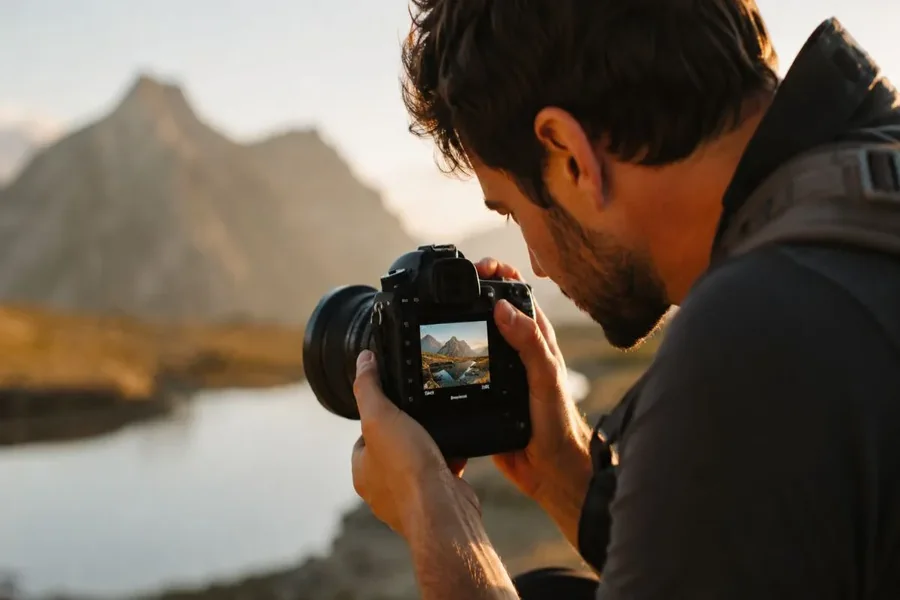
Taking a great photo is not only about having an expensive camera. Even the best equipment cannot produce sharp images if your hands shake while pressing the shutter button. Many beginners and even experienced photographers deal with this problem from time to time. The good news is that there are many simple ways to improve your stability and capture clear images without frustration.
If you have been searching for how to fix shaky hands photography you are in the right place. This guide explains the common causes of camera shake and shares practical solutions that anyone can use. Whether you use a DSLR mirrorless camera or a smartphone these tips will help you take sharper photos with confidence.
Why Camera Shake Happens
Understanding why camera shake occurs is the first step toward solving it. Your hands naturally move a little even when you try to stay still. That small movement becomes more noticeable when shooting in low light using a zoom lens or selecting a slow shutter speed.
Other common reasons include poor posture holding the camera incorrectly fatigue excitement or even breathing while pressing the shutter button. Environmental conditions such as strong wind or standing on an unstable surface can also affect image sharpness.
Knowing these causes helps you identify what needs improvement before you start changing camera settings.
Improve Your Hand Holding Technique
One of the easiest ways to reduce camera shake is by improving how you hold your camera.
Always grip the camera firmly with your right hand while supporting the lens from underneath with your left hand. Keep your elbows close to your body instead of stretching your arms outward. This creates a stronger and more stable position.
Stand with your feet about shoulder width apart to improve your balance. If possible lean against a wall tree or another solid object for additional support.
Before pressing the shutter take a slow breath and gently squeeze the button instead of tapping it quickly. Smooth movements reduce unwanted vibration and help create sharper photos.
Practicing this technique regularly can make a noticeable difference even without buying new equipment.
Adjust Camera Settings for Better Results
Camera settings play an important role when learning how to fix shaky hands photography.
A faster shutter speed is one of the best ways to freeze movement. If your shutter speed is too slow even slight hand movement may blur the image. A general rule is to use a shutter speed at least as fast as the focal length of your lens. For example if you use a 100 mm lens try shooting at 1 over 100 second or faster.
Increasing the ISO allows faster shutter speeds in darker environments. While higher ISO values may introduce some image noise modern cameras handle moderate ISO levels very well.
A wider aperture also lets more light into the camera allowing you to use faster shutter speeds without increasing ISO too much.
Many cameras also include image stabilization features. Turn this feature on when shooting handheld because it helps reduce the effects of small hand movements.
Use Helpful Photography Accessories
Accessories can provide extra stability especially in situations where sharpness is critical.
A tripod is the most effective solution for eliminating camera shake. It keeps the camera completely steady during long exposures landscape photography and night photography.
A monopod offers better mobility while still reducing movement. It works well for sports wildlife and event photography where quick repositioning is necessary.
Remote shutter releases and camera timers prevent movement caused by pressing the shutter button. Even a two second timer can improve image sharpness when using a tripod.
Comfortable camera straps also help stabilize your camera by creating gentle tension while shooting.
These accessories are useful investments for photographers at every skill level.
Practice Techniques That Build Stability
Improving your photography skills takes regular practice.
Spend time taking photos while focusing only on your body position and camera handling. Try shooting the same subject using different stances and compare the results.
Practice breathing control by taking a gentle breath then slowly pressing the shutter while exhaling. This simple habit often improves sharpness.
Strengthening your arms shoulders and core muscles may also help you hold the camera more steadily during longer shooting sessions.
If you frequently photograph moving subjects practice tracking them smoothly instead of making sudden movements. Consistent practice trains your muscles and improves your confidence behind the camera.
Remember that every photographer develops steadier hands over time through repetition and patience.
Smartphone Tips for Reducing Shaky Photos
Smartphone photography can also suffer from shaky hands especially in low light.
Hold your phone with both hands whenever possible. Rest your elbows against your body for better support.
Use your phone volume button or a wireless remote instead of tapping the screen because touching the display can introduce movement.
Many smartphones include optical image stabilization or electronic stabilization. Make sure these features are enabled if your device supports them.
Avoid digital zoom whenever possible because it magnifies both the subject and camera shake. Instead move closer to your subject or crop the image later if needed.
Cleaning the camera lens regularly also improves overall image quality.
These simple habits make smartphone photos noticeably sharper.
Common Mistakes That Cause Blurry Photos
Many photographers accidentally create blurry images by repeating a few common mistakes.
Using shutter speeds that are too slow is one of the biggest problems. Always check your camera settings before taking the shot.
Holding the camera with one hand reduces stability and increases movement. Using both hands creates a much stronger grip.
Pressing the shutter too forcefully causes unnecessary vibration. A smooth gentle press produces better results.
Ignoring image stabilization when shooting handheld can also reduce sharpness. Enable stabilization whenever appropriate.
Finally avoid rushing every photo. Taking an extra second to compose your shot and stabilize yourself often leads to much better images.
Final Thought
Learning how to fix shaky hands photography is not about eliminating every small movement. It is about developing better habits that reduce camera shake and improve image sharpness. Small improvements in your posture camera settings and shooting technique can make a significant difference.
Practice holding your camera correctly choose faster shutter speeds use stabilization features and consider accessories like tripods when needed. Over time these habits become natural and your confidence as a photographer continues to grow.
Sharp photos come from consistent practice rather than perfect equipment. Keep experimenting learn from each session and enjoy capturing moments with greater clarity.
FAQs
What is the main cause of shaky hands photography?
The most common cause is normal hand movement combined with slow shutter speeds. Poor camera handling and low light conditions also contribute to blurry images.
Does image stabilization completely remove camera shake?
No. Image stabilization helps reduce small movements but it cannot completely eliminate blur caused by excessive motion or very slow shutter speeds.
What shutter speed should I use to avoid blurry photos?
A good starting point is using a shutter speed that matches or exceeds your lens focal length. Faster speeds are better for moving subjects.
Can a tripod improve photo sharpness?
Yes. A tripod provides excellent stability and is one of the best tools for reducing camera shake especially during long exposure photography.
How can I hold my camera more steadily?
Grip the camera firmly with both hands keep your elbows close to your body stand with balanced footing and gently press the shutter button.
Can smartphones take sharp photos without a tripod?
Yes. Holding the phone with both hands using stabilization features and avoiding screen taps while taking photos can greatly improve sharpness.
